
Connect your Event Livestreams
Experience quality live stream linking for events, share to your social media feed – and cast to your TV!

Muzi is a smart phone app used to link individual live streams into a single event format. It can be used for both public, and private events, such as: concerts, amateur sports, weddings, conferences, festivals, cinciñeras, parties, current events, etc.
Live streamers film their content via Muzi, and it links to other streamers at the same event (via the event panel), so that viewers at home, can view all the streamed content at that event. Viewers can cast the event to their television, and their phone becomes a remote for switching (using our exclusive LiveSwitch™) from live content to live content for that event.
Bands, venues, and their fans can add their live stream contributions to the event, making it the first interactive event app. Anyone at the event can add their stream, and anyone at home can view all the streaming options, giving the viewer a more 360° view of the event.
The app is ideal for bands trying to get their live content out there, and venues who wish to have a DIY version of event streaming. It can also be used for private events, if the content meets the content regulations as set forth in Muzi’s Terms & Conditions.
Streamers and viewers are the two typical types of subscribers. Either type of subscriber can cast the live content they are viewing to their social media accounts (i.e. Facebook page, via Facebook live and YouTube live) to share the content with their friends or page members. For example, a band can share the content with their fanbase on their social media accounts.
Muzi’s mission is in supporting musical acts, by creating a platform where the streaming of their content, along with their fan’s content as a collaboration of the event, have a place anyone can peruse their live content. Muzi archives all streams for future viewing. Streaming content can be downloaded in its original form after it processes into the archive.
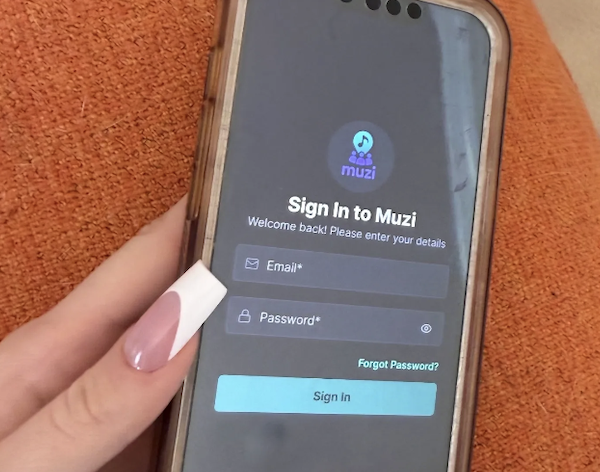
To try Muzi for free during the Beta version testing phase on your iPhone, download the TestFlight App, by visiting: https://testflight.apple.com/join/VWM9Rejf download the TestFlight App and install Muzi from there.
Android version is available here: https://play.google.com/store/apps/details?id=com.sgtech.muzi.app&pcampaignid=web_share








Join 900+ subscribers
Stay in the loop with everything you need to know. Sign up to be one of the first users of Muzi!